 Robin Baby
Best Pumping Apps 2026: Output, Milk Stash and Android Options
We compared pumping apps on left and right amounts, pump timers, freezer stash inventory, Android support, partner sharing and real US prices. Checked October 11, 2026.
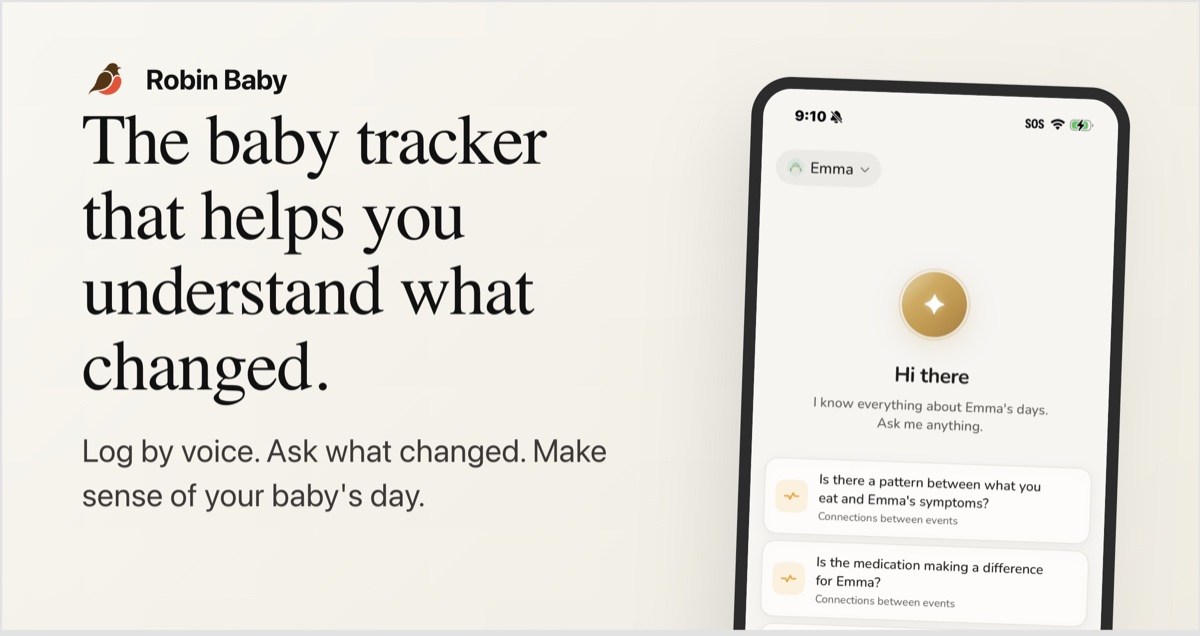
There’s no single best pumping app; it depends on how you feed. If you exclusively pump on iPhone, Pump Log does the most for pumping alone. On Android, ParentLove and Medela Family have a freezer stash. We make Robin Baby, and it’s our pick if you nurse and pump: left and right amounts, a pump timer and nursing vs pumping insights are free. It has no freezer stash, so if inventory matters to you, pair it with a stash app or pick one of those instead.
Read this with that in mind. We checked each app’s own site and US store listing on October 11, 2026, and link the sources under each app. This compares features and prices, not how each app feels to use. “Not stated” means the app’s own pages didn’t say, not that the feature is missing.
Best pumping apps by what you need
- Best for exclusive pumping on iPhone: Pump Log
- Best for nursing and pumping in one app: Robin Baby
- Best milk stash on Android: ParentLove
- Best free app with a Medela smart pump: Medela Family
- Best cheap left and right log on Android: Pebbi
- Best for a pumping schedule (iPhone): Pumping Schedule
- Willow or Elvie pump: the pump’s own app
Pumping app comparison: amounts, stash and US prices
| App | Left and right amounts | Pump timer | Milk stash | Android | Partner sharing | Price (US) |
|---|---|---|---|---|---|---|
| Pump Log | Yes (left, right or both) | Yes, plus power-pump timer | Yes | No (iPhone and Apple Watch) | Not stated | 50 records free, then $19.99 once |
| Robin Baby | Yes, or a total; oz or mL | Yes, with pause | No | Yes | Free, up to 3 caregivers | Free; Premium $9.99/mo or $59.99/yr |
| ParentLove | Not stated | Yes, with side switching | Yes, first in first out, with expiry | Yes, with ads | Free, unlimited caregivers | Free core; Pro “$24.99 one-time” on its site |
| Medela Family | Not stated | Not stated | Yes, with expiry | Yes | VIP pack (price not stated) | Free; VIP pack in-app |
| Pumping Schedule | Not stated | Not stated | Premium | No (planned) | Premium | Free core; Premium price not stated |
| Pebbi | Yes | Not stated | Not stated | Yes | Free for 2 caregivers | Free; $2.99/mo, $19.99/yr or $59.99 lifetime |
| Nara Baby | Per-side timer and output | Yes, per side | Not stated | Yes | Paid plan | $9.99/mo or $99.99 lifetime |
| Huckleberry | Not stated | Yes | Not stated | Yes | Free, one shared login | Free; Plus $11.99/mo or $68.99/yr |
| Willow app | Automatic on 360 and 3.0; typed in on Go | Pump control | Not stated | Yes | Not stated | Not stated |
| Pump with Elvie | Automatic volume per session | Pump control | Not stated | Yes | Not stated | Not stated |
Checked October 11, 2026 on each app’s own site and US App Store or Google Play listing. ParentLove’s Google Play listing shows in-app purchases from $9.99 to $39.99, which doesn’t match the single price on its site. Prices change, so check the listing before you pay.
Output logging vs stash inventory
Pumping apps do two different jobs, and few do both well.
Output logging records each session: when, how long, and how much from each side. It’s what you need to spot a pattern, like one side producing less or a dip after you drop a session, and it’s what a lactation consultant usually asks to see.
Stash inventory tracks the milk itself after you pump it: how many bags or bottles are in the fridge and freezer, when each one expires, and which to use first. That matters most if you’re building a freezer supply for daycare or a return to work.
Pump Log, ParentLove and Medela Family do both. Robin Baby, Nara Baby and Huckleberry focus on logging. If you want both and like a general tracker, using a stash app alongside it is a reasonable setup.
iPhone vs Android pumping apps
The two best-known exclusive pumping apps, Pump Log and Pumping Schedule, are iPhone only. Pumping Schedule says Android is planned later in 2026. Pump Log has no Android version.
If you’re on Android, or your partner is:
- Stash inventory: ParentLove (free core, ads on Android) or Medela Family (free; sharing needs the VIP pack).
- Left and right amounts, cheap: Pebbi, from $19.99 a year, with a free tier for two caregivers.
- Pumping plus nursing, bottles and the rest of the baby’s day: Robin Baby, Huckleberry, Nara Baby or Baby Daybook.
Single-purpose pump apps like Pumply (Android and iPhone), PumpStash and My Milk Stash also show up in searches. We didn’t check them in detail.
Pump-brand apps vs standalone logs
Some pump makers have their own app:
- Medela Family syncs over Bluetooth with Medela’s Sonata, Freestyle Flex and Swing Maxi, and also tracks nursing and pumping.
- Willow works with the Willow 360, Go and 3.0. The 360 and 3.0 measure volume in real time; the Go doesn’t, so you type it in. It also has pump control, history and an AI assistant.
- Pump with Elvie controls Elvie pumps and records volume per session automatically. Some features are iPhone only for now.
The Willow 360 and 3.0 and Pump with Elvie record volume automatically; the Willow Go needs you to type it in. The Willow and Elvie apps only work with their own pumps, while Medela Family also logs nursing and milk storage. If you nurse too, use a manual pump for a top-up, or want your partner to see bottles, a standalone log keeps everything together.
Spectra and Haakaa have no tracking app that we could find. Spectra pumps don’t connect to a phone, and the Haakaa is a manual silicone collector. Any pumping log works: type the amount in after each session.
1. Pump Log: best for exclusive pumping on iPhone
Free: your first 50 records. Unlimited Records Upgrade: $19.99, one time, no subscription. (Older articles quote $8.99 or $10.99; that’s out of date.)
Pump Log is built for pumping and nothing else. It logs volume for the left, right or both sides, has a session timer and a power-pump timer, keeps a stash inventory, sets reminders with full-screen alarms, and counts down to a goal. It can import from Huckleberry, Nara and Baby Tracker, and has a 4.9-star rating from about 5,800 ratings. It’s iPhone and Apple Watch only, and its site doesn’t mention partner sharing.
Sources: Pump Log, App Store listing.
2. Robin Baby: best for nursing and pumping in one app
Free: pump sessions with left and right amounts or a total, in oz or mL, an optional pump timer with pause, pumping insights, plus nursing, bottles, sleep and diapers, shared with up to 3 caregivers, with no ads. Premium: $9.99 a month or $59.99 a year in the US, with 7 days free and no card needed.
“I keep track of my pumping here too.” (Google Play review, August 2026)
Robin is a full baby tracker that takes pumping seriously, which suits parents who nurse some feeds and pump for others. Log a session with the amount from each breast, or just the total. The pump timer pauses, and paused time doesn’t count toward the session. Insights show how much you pumped each day, your left vs right balance, nursing vs pumping each day, the gaps between sessions and how much happens at night. A feed reminder can count nursing and pumping together, and a bottle of pumped milk can be logged as breast milk, formula, or a mix of both. See the nursing and pumping insights.
Where Robin Baby is weaker for pumping: there’s no freezer stash or inventory, and no reminder just for pumping. A running pump timer doesn’t show on your partner’s phone until you save the session. If you exclusively pump and want a stash, Pump Log on iPhone or ParentLove or Medela Family are a better fit, or use one alongside Robin.
3. ParentLove: best milk stash on Android
Free: core features, including unlimited caregiver sharing. Pro: “$24.99 one-time” on its site; the Google Play listing shows a different price range, so treat the price as unconfirmed. Ads on Android.
ParentLove has a pump log and timer with side switching, and a stash inventory with first in, first out, freezer or deep-freezer location, and expiry dates that update when you move milk. It also handles donor milk and gives caregivers different levels of access.
Source: ParentLove pump log and milk stash.
4. Medela Family: best free app with a Medela smart pump
Free. Multi-user caregiver access needs the “VIP pack”, and the listing doesn’t state its price.
Medela Family tracks pumping and nursing, keeps virtual milk storage with expiry dates, and syncs with Medela’s smart pumps. It’s on iPhone and Android, with a 4.3-star rating; some reviews describe freezes and sync problems.
Source: App Store listing.
5. Pumping Schedule: best for a pumping schedule on iPhone
Free: an age-based schedule, logging and trends. Premium (price not stated) adds the full stash manager, partner sharing and export.
Pumping Schedule is built around generating a schedule. It’s iPhone only for now. Its own comparison ranks it first, so weigh that the way you’d weigh ours.
Source: Pumping Schedule.
6. Pebbi: best cheap left and right log on Android
Free: 1 baby and 2 caregivers. Paid (US App Store): $2.99 a month, $19.99 a year or $59.99 lifetime.
Pebbi logs pumping and breastfeeding left and right independently and shows the last side. Its pages don’t mention a stash.
Sources: Pebbi, App Store listing.
Also worth knowing
- Nara Baby: a per-side pumping timer and output, with Apple Watch, but no free logging after the 7-day trial ($9.99/mo or $99.99 lifetime). See our Nara Baby alternatives.
- Huckleberry: pumping sessions and a timer on every plan, including free. Its pages don’t mention per-side amounts or a stash. Huckleberry pricing
- Baby Daybook: logs volume per session; sharing is Premium and Android has ads. Baby Daybook feeding tracker
- Baby Connect: nursing and pumping logs, no free tier after a 7-day trial, Family $6.99/mo or $49.99/yr for unlimited caregivers. App Store listing
- Willow and Pump with Elvie: see the brand apps section above. Willow app, Pump with Elvie
For an all-round tracker comparison, see our best baby tracker apps, and for nursing specifically, our best breastfeeding apps.
A note on exclusive pumping
Exclusive pumping means feeding your baby only pumped milk, without nursing. It’s common, and the apps above that track per-side output, a timer and a stash were built with it in mind. How often and how long to pump is personal, and depends on your baby’s age and your body, so we won’t prescribe a schedule here.
Output is also not a grade. The amount you pump varies by session, by time of day and from person to person, and a pump isn’t a baby at the breast. If you’re worried about supply, an IBCLC (a board-certified lactation consultant) can help. Accurate logs make that conversation easier.
Which pumping app fits you?
- You exclusively pump on iPhone: Pump Log.
- You exclusively pump on Android: ParentLove, or Medela Family if you have a Medela smart pump.
- You nurse and pump, and want your partner to see everything: Robin Baby, plus a stash app if you keep a freezer supply.
- You have a Willow or Elvie: its own app for volume, and a general log if you also nurse.
- You have a Spectra or Haakaa: any pumping log; type the amounts in.
Getting started with Robin Baby
- Download Robin Baby for iPhone or Android.
- Invite your partner from Profile, then Invite Partner.
- Log your next pump session with the amount from each side, or start the pump timer.
Pumping, nursing and sharing are all free. New accounts also get 7 days of Premium, with no card needed.
Questions about pumping apps
What is the best pumping app?
It depends on how you feed. For exclusive pumping on iPhone, Pump Log is the strongest dedicated app, with per-side volumes, a power-pump timer and a stash inventory, for $19.99 once after 50 free records. On Android, ParentLove has a milk stash with free caregiver sharing, with ads. We make Robin Baby, our pick if you nurse and pump: left and right amounts, a pump timer and nursing vs pumping insights are free, but it has no freezer stash.
Is there a good pumping app for Android?
Yes, though the best-known exclusive pumping apps, Pump Log and Pumping Schedule, are iPhone only. On Android, ParentLove and Medela Family both have a milk stash, Pebbi logs left and right amounts, and Robin Baby, Huckleberry, Nara Baby and Baby Daybook log pump sessions alongside everything else.
Which pumping app tracks the freezer stash?
Pump Log (iPhone), ParentLove (iPhone and Android, with first-in-first-out order, freezer location and expiry dates) and Medela Family (virtual milk storage with expiry) all track a stash. Pumping Schedule includes a full stash manager in Premium. Robin Baby, Huckleberry, Nara Baby and Baby Daybook don't list a stash inventory.
Do Spectra or Haakaa have an app?
We found no official tracking app for either. Spectra pumps don't connect to an app, and the Haakaa is a manual silicone collector. Use any pumping log and type in the amounts after each session.
Do I need the Willow or Elvie app to track pumping?
Their apps control the pump and record volume automatically: the Willow app on the 360 and 3.0 (the Go needs volume typed in), and Pump with Elvie on Elvie pumps. They only work with their own pumps. If you also nurse or use a second pump, a separate log keeps everything in one place.
Can my partner see my pumping sessions?
In some apps. Robin Baby shares with up to three caregivers for free, ParentLove includes unlimited caregiver sharing in its free core, and Huckleberry sharing is free through one shared login. Pumping Schedule puts partner sharing in Premium, Medela Family needs its VIP pack, and Pump Log's site doesn't mention sharing.
Does my pumping output show whether my baby is getting enough?
Not on its own. Output varies from session to session and between people, and a pump isn't the same as a baby at the breast. If you're worried about supply, an IBCLC can look at your whole situation. An app helps by keeping accurate records to bring to that visit.
Tracking your baby's day with Robin?
Robin Baby is the voice-first baby tracker that remembers everything — feeds, sleep, growth, milestones. Free logging and timers, free caregiver sync.

