 Robin Baby
Best Breastfeeding Tracker Apps 2026: Free Features, Timers and Sharing
We compared breastfeeding apps on the free nursing timer, last side, pause, partner sharing, ads and real US prices, plus what works if you nurse and pump. Checked October 11, 2026.
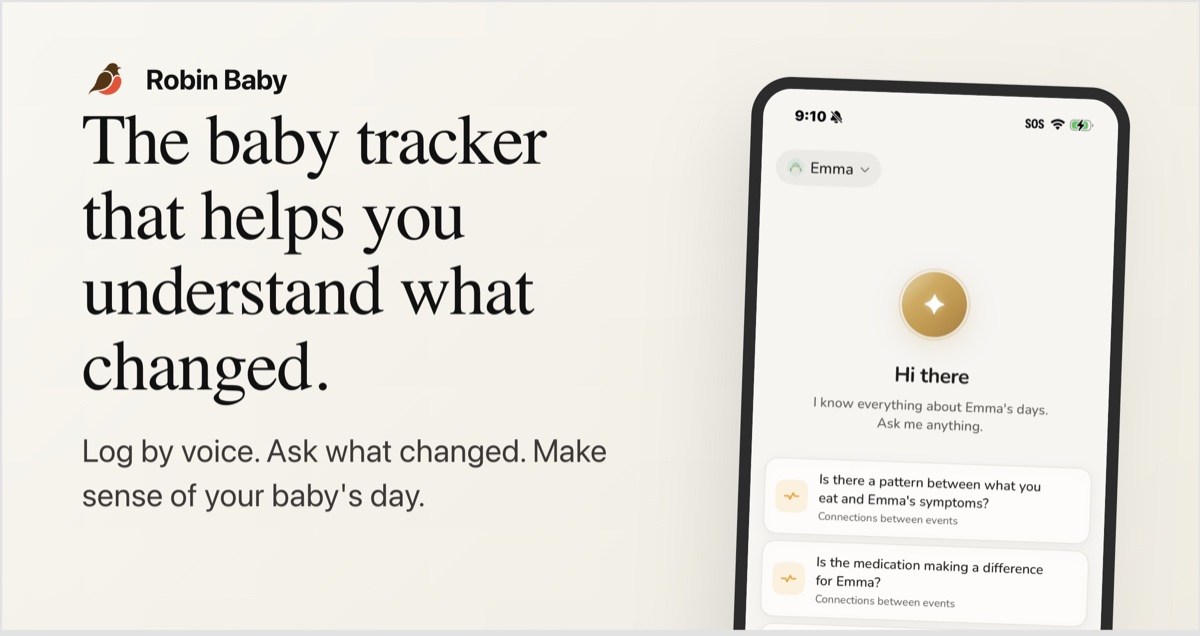
We make Robin Baby, and it’s our pick for most breastfeeding families. The per-side nursing timer, the side your last feed ended on, left vs right balance, pumping and sharing with your partner are all free, with no ads. Huckleberry is the pick if you also want paid sleep coaching, and Nara Baby if you’d rather pay once and never think about it again.
Read this with that in mind. We checked each app’s own site and US store listing on October 11, 2026, and link the sources under each app. This compares features and prices, not how each app feels to use. Where an app’s own pages didn’t say, we write “not stated”, which means we couldn’t confirm it, not that the feature is missing.
Best breastfeeding apps by what you need
- Best free breastfeeding tracker: Robin Baby
- Best if you nurse and pump: Robin Baby
- Best if you also want sleep coaching: Huckleberry
- Best pay-once option: Nara Baby ($99.99 lifetime)
- Low-cost annual option: Pebbi ($19.99 a year)
- Best if you own a Medela smart pump: Medela Family
- Best for nannies and daycare: Baby Connect
Breastfeeding app comparison: free timers, sharing and US prices
| App | Free nursing timer | Last side | Pause | Log afterwards | Partner sharing | Ads | Apple Watch | Price (US) |
|---|---|---|---|---|---|---|---|---|
| Robin Baby | Yes, per side with switch | Side the last feed ended on | Yes | Yes, minutes per side | Free, up to 3 caregivers | No | Premium | Free; Premium $9.99/mo or $59.99/yr |
| Huckleberry | Yes, both sides | Yes | Yes | Not stated | Free, one shared login | No (Google Play) | Yes | Free; Plus $11.99/mo or $68.99/yr |
| Nara Baby | 7-day trial, then paid | Side that ended the last feed | Not stated | Not stated | Yes, on a paid plan | Not stated | Yes | $9.99/mo or $99.99 lifetime |
| Baby Daybook | Yes, per breast with switch | Not stated | Not stated | Not stated | Premium (Family Sync) | Yes, on Android | Yes | Free; Premium varies on listing |
| nappi | Yes, per side | Shows “which side is next” | Not stated | Not stated | Free, invite code | Not stated | Yes, and Wear OS | Free (14-day history); $3.99/mo or $39.99/yr |
| Pebbi | Left and right logged | Yes | Not stated | Not stated | Free for 2 caregivers | Not stated | Not stated | Free; $2.99/mo, $19.99/yr or $59.99 lifetime |
| Medela Family | Nursing tracking, free | Not stated | Not stated | Not stated | VIP pack (price not stated) | Not stated | Not stated | Free; VIP pack in-app |
| Baby Tracker (Amila) | Yes, with side tracking | Not stated | Not stated | Not stated | Not stated | Yes, on Android | Wear OS | $4.99/mo or $29.99/yr |
| Glow Baby | Breastfeeding tracker | Not stated | Not stated | Not stated | Not stated | Yes, on Android | Yes | Free; paid from $23.99 for 3 months |
Checked October 11, 2026 on each app’s own site and US App Store or Google Play listing. “Ads” means the Google Play listing says “Contains ads”. Prices change, so check the listing before you subscribe.
Nursing timers and last-side tracking, explained
Almost every breastfeeding app has a timer. The differences are in the details you notice at 3 a.m.:
- Per-side timing. A timer for each breast, with a switch button, records how long you spent on each side in one feed instead of one total.
- Last side. Most parents use an app to answer one question: which side did we end on? Apps show this differently. Some show the side the last feed ended on, and nappi says it shows “which side is next”. Either way, you still decide where to start.
- Pause. Babies unlatch, burp and need a diaper mid-feed. A pause button keeps that as one feed. Without it, stopping and restarting can split one feed into several entries.
- Logging afterwards. If you forgot to start the timer, you need a way to type in the minutes for each side. Check this before you commit to an app, because many listings don’t mention it.
Free features, sharing and prices
The big change in 2026 is what “free” means. Nara Baby, long the go-to free nursing app, now becomes read-only after a 7-day trial. Baby Daybook keeps logging free with ads on Android, but syncing with a partner is Premium. Medela Family is free, but more than one caregiver needs its VIP pack, and the listing doesn’t say what that costs. Huckleberry keeps the timer and sharing free, though caregivers share one login rather than having their own accounts.
Ads matter more than they sound when you’re scrolling one-handed in the dark. Glow Baby, Baby Daybook, Baby Tracker by Amila, Feed Baby and ParentLove all carry Google Play’s “Contains ads” label.
If you nurse and pump (or your partner gives bottles)
Many families do all three: nursing at home, pumping at work or overnight, and a partner giving a bottle of pumped milk or formula. So compare whether an app records per-side pump amounts, mixed bottles and nursing alongside pumping. A setup that works:
- Nursing: start the per-side timer, switch sides, pause for burps.
- Pumping: log the session with the amount from each breast, or a total.
- Bottles: whoever gives the bottle logs it as breast milk, formula, or a mix of both.
- Look at the day as a whole: how many times milk was removed by nursing or pumping, and how much happened at night.
Robin Baby does all four on the free plan, and so does sharing them with your partner. Nara Baby and Huckleberry also log nursing and pumping, and Medela Family suits parents with a Medela smart pump. If pumping is most of your day, see our best pumping apps comparison.
1. Robin Baby: best free breastfeeding tracker
Free: per-side nursing timer with switch and pause, the side your last feed ended on, minutes per side logged afterwards, left vs right balance, pump sessions, mixed bottles, feed reminders, and sharing with up to 3 caregivers, with no ads. Premium: $9.99 a month or $59.99 a year in the US, with 7 days free and no card needed.
“This is a great app to co parent with! No longer need to ask when was last feed, was his meds given, Etc.” (App Store review, October 2026)
A timer that handles real feeds
Start on either side, tap to switch, and pause when your baby unlatches. Forgot to start it? Type in the minutes for each side afterwards. The feed card shows which side the last feed ended on, so you can see at a glance where you left off.
Both of you see the same feeds
A running nursing timer shows on your partner’s phone, on iPhone or Android. Invite them from Profile, then Invite Partner. Up to three caregivers is free, and each entry shows who logged it.
Left vs right, and nursing vs pumping
Insights show your balance between breasts over time, so an uneven side shows up as a number. If you also pump, Robin shows nursing vs pumping each day, your pumped left vs right balance, the gaps between sessions and how much feeding happens at night. A reminder can count nursing and pumping together. Bottles can hold breast milk, formula, or both in one feed. See the nursing and pumping insights.
“It also helped me stay on top of my pumping.” (App Store review, September 2026)
Premium extras
Premium adds voice logging (“nursed 15 minutes left”), Ask Robin for questions about your own logs, a one-page doctor summary with feed counts, breast vs bottle share and average nursing minutes, widgets, and Apple Watch and Wear OS.
“The voice logging is great because I can do it hands free. So starting a nursing timer hands free is super helpful.” (App Store review, October 2026)
Where Robin Baby is weaker: it’s newer, with far fewer reviews than Huckleberry or Nara. Apple Watch, voice and widgets are Premium. The doctor summary doesn’t split feeds by side or include pumping.
2. Huckleberry: best if you also want sleep coaching
Free: a breastfeeding timer for both sides, last side shown in the list, detail and week views, pause, pumping sessions and timer, and caregiver sync. Plus ($11.99/mo or $68.99/yr; the site shows $5.74/mo billed yearly) adds SweetSpot nap predictions and insights. Premium ($14.99/mo or $119.99/yr) adds more. Trial: two weeks.
Huckleberry’s nursing timer is free and complete, with Apple Watch support (watchOS 10.2 or later) and no ads on its Google Play listing. It’s built sleep-first, so the paid plans mostly add sleep features, and pumping gets less attention. Sharing is free, but caregivers sign in to the same account on each phone. See our Huckleberry vs Robin Baby comparison.
Sources: Huckleberry pricing, App Store listing.
3. Nara Baby: best pay-once option
No free logging after a 7-day trial that starts at your first log. $9.99 a month or $99.99 lifetime, with all features in both. The US App Store also lists promotional tiers.
Nara has a left and right timer that notes which side ended the last feed, a per-side pumping timer and output, partner invites, Apple Watch and Siri. It has a 4.9-star rating from about 24,000 ratings. The catch: without a plan the app is read-only for everyone on the profile. If you’re leaving Nara, see is Nara Baby still free and our Nara Baby alternatives.
Sources: Nara Baby FAQ, App Store listing.
4. Pebbi: a low-cost annual option
Free: 1 baby and 2 caregivers. Paid (US App Store): $2.99 a month, $19.99 a year or $59.99 lifetime, covering the household.
Pebbi logs left and right independently for breastfeeding and pumping and shows the last side. It’s a newer app; its pages don’t mention Apple Watch or a milk stash.
Sources: Pebbi, App Store listing.
5. nappi: watch-friendly, with a short free history
Free: logging with 14 days of history and free invite-code sharing. Premium: $3.99 a month or $39.99 a year with a 1-week trial, covering the whole household.
nappi has a per-side nursing timer that shows “which side is next”, plus Apple Watch and Wear OS apps. The free plan only keeps two weeks of history, which matters if your pediatrician asks about last month.
Source: nappi.
6. Baby Daybook: Android-friendly, sharing is paid
Free: logging, with ads on Android. Premium: monthly, yearly or lifetime. The US listing shows price ranges, so we couldn’t confirm the exact current price.
Daybook has start and stop timers for each breast with side switching, an Apple Watch app and widgets. Family Sync, which you need to share with a partner, is Premium; connected caregivers then get Premium too.
Sources: Baby Daybook feeding tracker, Baby Daybook Premium.
7. Medela Family: best with a Medela smart pump
Free. Multi-user caregiver access needs the “VIP pack”; the listing doesn’t state its price.
Medela Family (formerly MyMedela) tracks nursing and pumping, keeps a virtual milk storage list with expiry dates, and syncs over Bluetooth with Medela’s Sonata, Freestyle Flex and Swing Maxi pumps. It has a 4.3-star rating, and some reviews describe freezes and sync problems.
Source: App Store listing.
Also worth knowing
- Baby Connect: no free tier after a 7-day trial; Family is $6.99/mo or $49.99/yr and covers unlimited caregivers, with a web version for nannies and daycare. App Store listing
- Baby Tracker & Newborn Log (formerly Sprout Baby): tracks breastfeeding and pumping time and quantity, with real-time family sharing and an Apple Watch app. Premium runs from $5.99 a week to $59.99 a year. App Store listing
- Baby Tracker by Amila: a breastfeeding timer with side tracking and a pumping log, $4.99/mo or $29.99/yr, with ads on Android. Reviewers ask for multi-user sharing. App Store listing
- Glow Baby: breastfeeding and pumping trackers, ads on Android, and paid plans from $23.99 for 3 months to $79.99 lifetime. App Store listing
- Feed Baby: its Android app was last updated in August 2024. Google Play listing
For sleep, diapers and everything else, see our best baby tracker apps comparison.
What a tracker can’t tell you
A nursing timer measures how long your baby was at the breast, not how much milk they drank. Two ten-minute feeds can be very different. Wet and dirty diapers and weight checks with your pediatrician or an IBCLC (a board-certified lactation consultant) say much more about whether feeding is going well. A tracker earns its place by keeping those records in one spot, so you’re not reconstructing the week from memory at the appointment.
Which breastfeeding app fits your family?
- You want it free and ad-free, with your partner: Robin Baby.
- You nurse, pump and use bottles: Robin Baby, or Nara Baby if you’d rather pay once.
- Sleep coaching matters as much as feeds: Huckleberry.
- You’re on a tight budget and want to pay: Pebbi or nappi.
- You own a Medela smart pump: Medela Family, alongside a tracker if you want free sharing.
- A nanny or daycare logs too: Baby Connect.
Getting started with Robin Baby
- Download Robin Baby for iPhone or Android.
- Coming from Nara or another app? Open Profile, then Import from another app.
- Invite your partner from Profile, then Invite Partner.
- Start your next feed with the nursing timer, and tap the other side when you switch.
The nursing timer, pumping log and sharing are all free. New accounts also get 7 days of Premium, with no card needed.
Questions about breastfeeding apps
What is the best free breastfeeding app?
We make Robin Baby, and it's our pick: the per-side nursing timer with switch and pause, the side your last feed ended on, left vs right balance, pumping and sharing with up to three caregivers are all free, with no ads. Huckleberry also has a free timer for both sides and free sharing, through one shared login. Nara Baby is no longer free after its 7-day trial.
Which app tracks the left and right side when breastfeeding?
Most nursing apps do. Robin Baby, Huckleberry, Nara Baby, Baby Daybook, nappi and Pebbi all time or log each side, and Robin Baby, Huckleberry, Nara Baby and Pebbi show the side of your last feed. Robin Baby also shows your left vs right balance over time, for nursing and for pumping, on the free plan.
Can my partner see breastfeeding feeds in the app?
Yes, if sharing is included in your plan. Robin Baby shares one timeline with up to three caregivers for free, and a running nursing timer shows on their phone. Huckleberry sharing is free but works by signing in to the same account on each phone. Baby Daybook's Family Sync is Premium, Medela Family needs its VIP pack, and Nara Baby needs a paid plan after the trial.
Do I need to track every breastfeeding session?
No. Many parents track closely in the first weeks, when their pediatrician or lactation consultant asks about feeds and diapers, and then log less once feeding settles. Track what helps you answer the questions you're actually being asked. A quick tap at the start of a feed is enough for most apps.
Is there an app that tracks breastfeeding and pumping together?
Yes. Robin Baby keeps nursing, pump sessions and bottles on one timeline for free, with left and right pump amounts, a daily nursing vs pumping split and a left vs right balance across both. Nara Baby and Huckleberry also log both, and Medela Family adds Bluetooth sync with Medela smart pumps.
Is Nara Baby still free?
No. Nara Baby now has a 7-day trial that starts at your first log, then costs $9.99 a month or $99.99 for life. Without a plan, the app is read-only for everyone on the profile, so you can view and export but not add feeds.
Does a breastfeeding app tell me if my baby is getting enough milk?
No. Nursing minutes show how long a feed lasted, not how much milk your baby drank. Wet and dirty diapers and weight checks with your pediatrician or an IBCLC tell you far more. An app helps by keeping those records in one place for the appointment.
Which breastfeeding app works with Apple Watch?
Huckleberry, Nara Baby, Baby Daybook, Glow Baby and nappi list Apple Watch support. In Robin Baby, Apple Watch and Wear OS are part of Premium; the nursing timer itself is free on the phone.
Tracking your baby's day with Robin?
Robin Baby is the voice-first baby tracker that remembers everything — feeds, sleep, growth, milestones. Free logging and timers, free caregiver sync.

